01
Upload your context
Upload your discussion guide, plus any domain or product context.
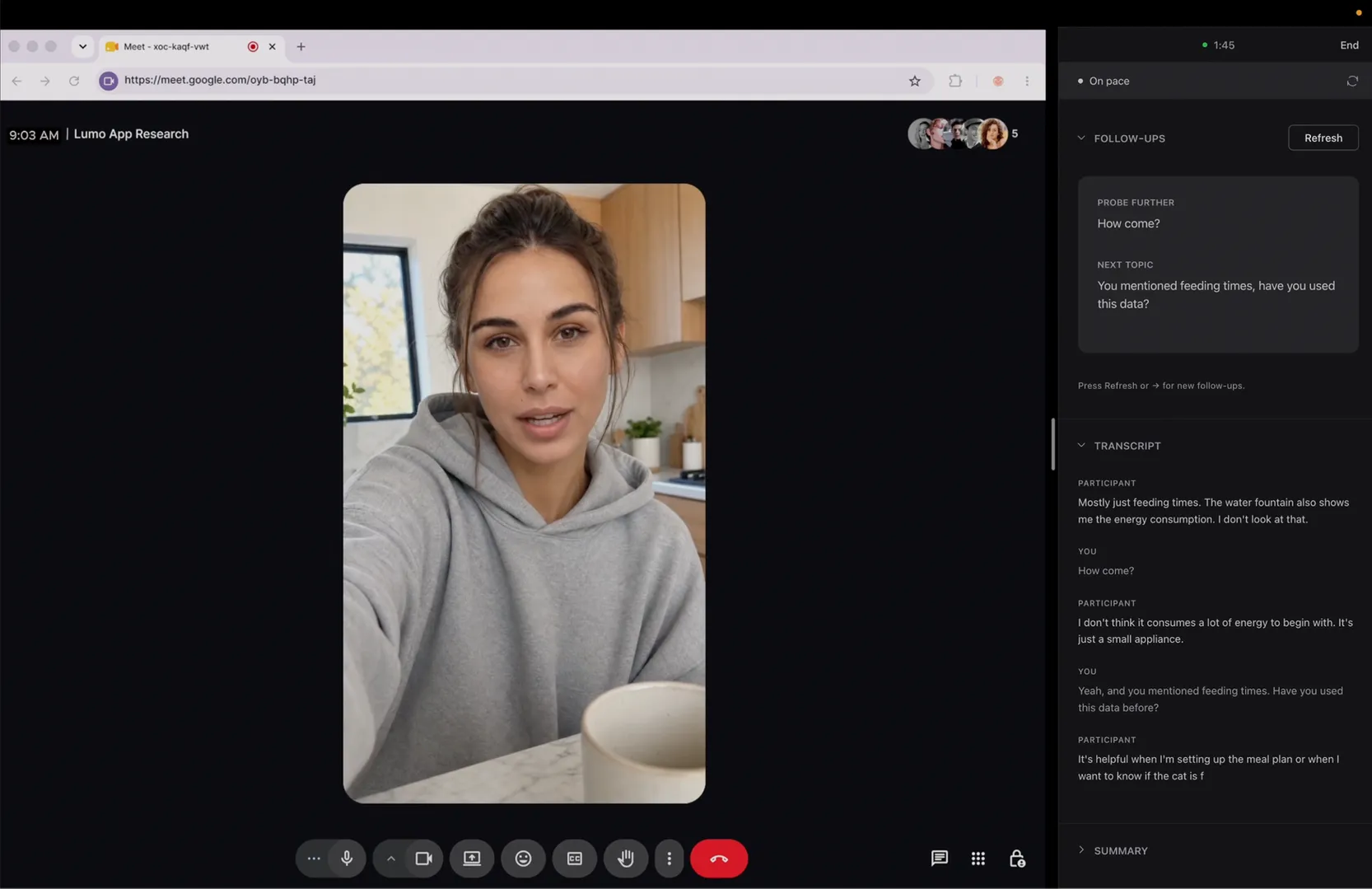
Reslie helps you moderate user research sessions. It analyzes your conversation in real time — so you can focus on the discovery.
THE ATTENTION TAX
You're listening, choosing the next question, tracking what's covered, managing time, taking notes. The multitasking is draining, and pulls you from the real goal — discovering insights.
Meet Reslie
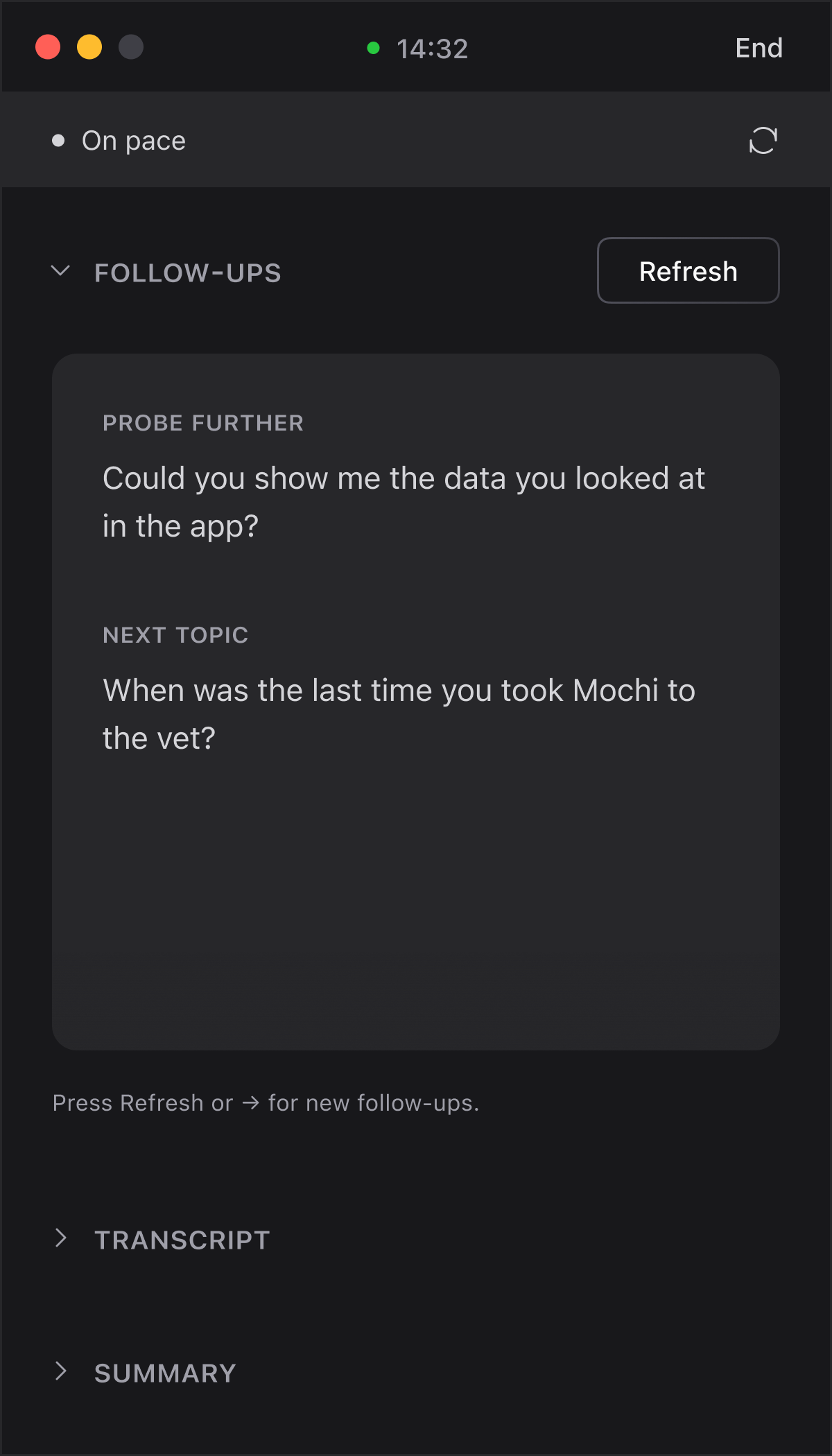
Questions to ask, based on the live conversation.
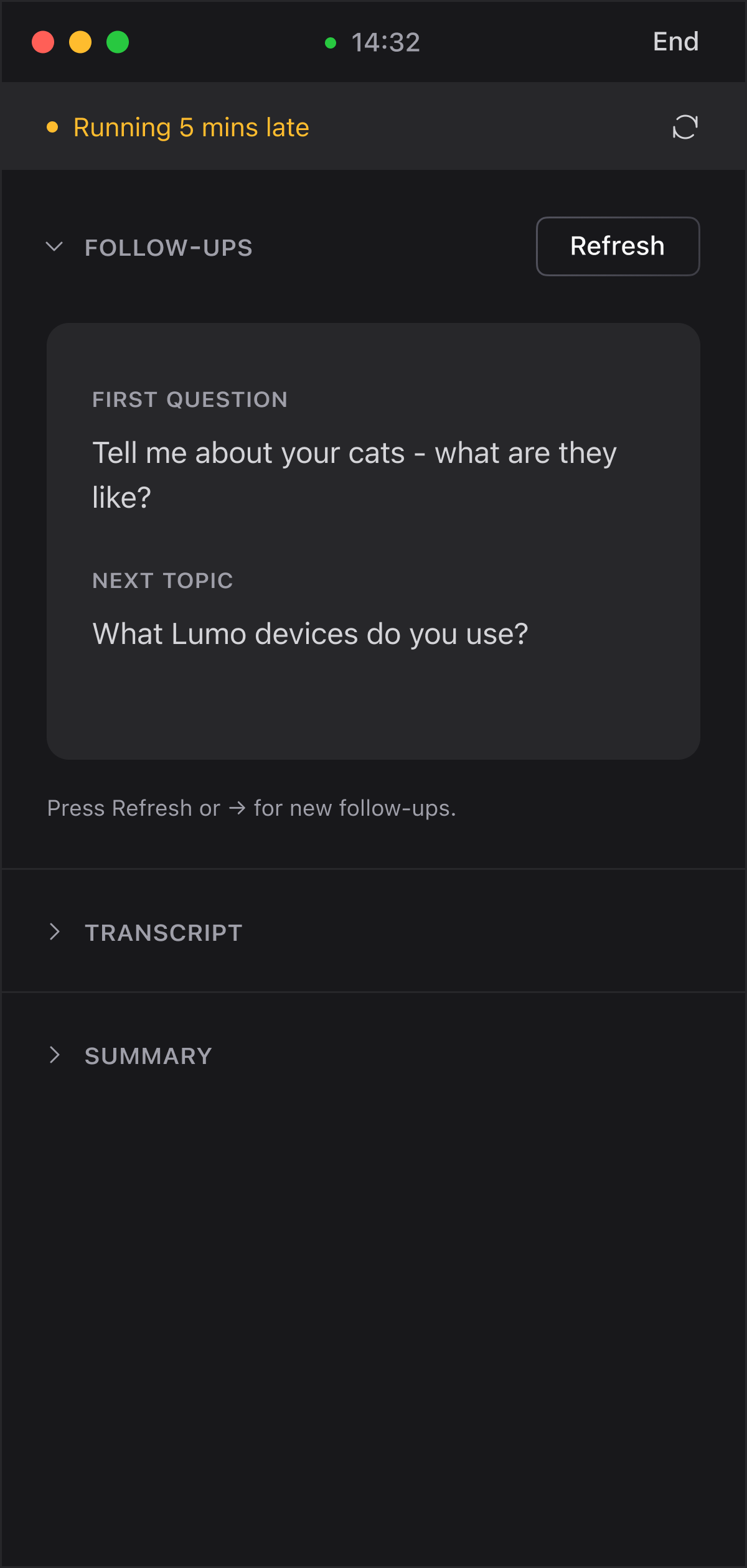
A quiet nudge when you’re running behind.
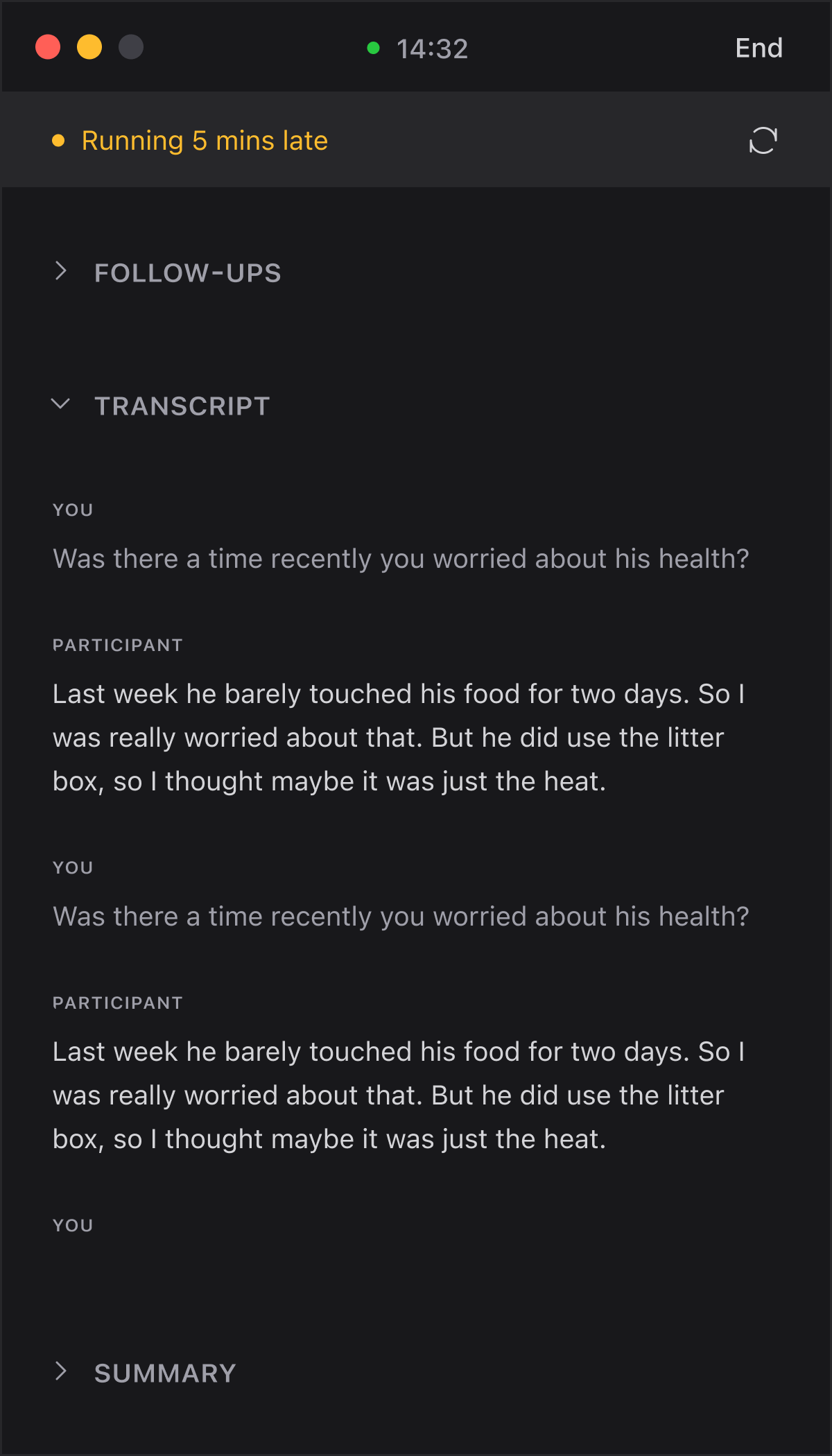
Save follow-ups and quotes, on the fly.
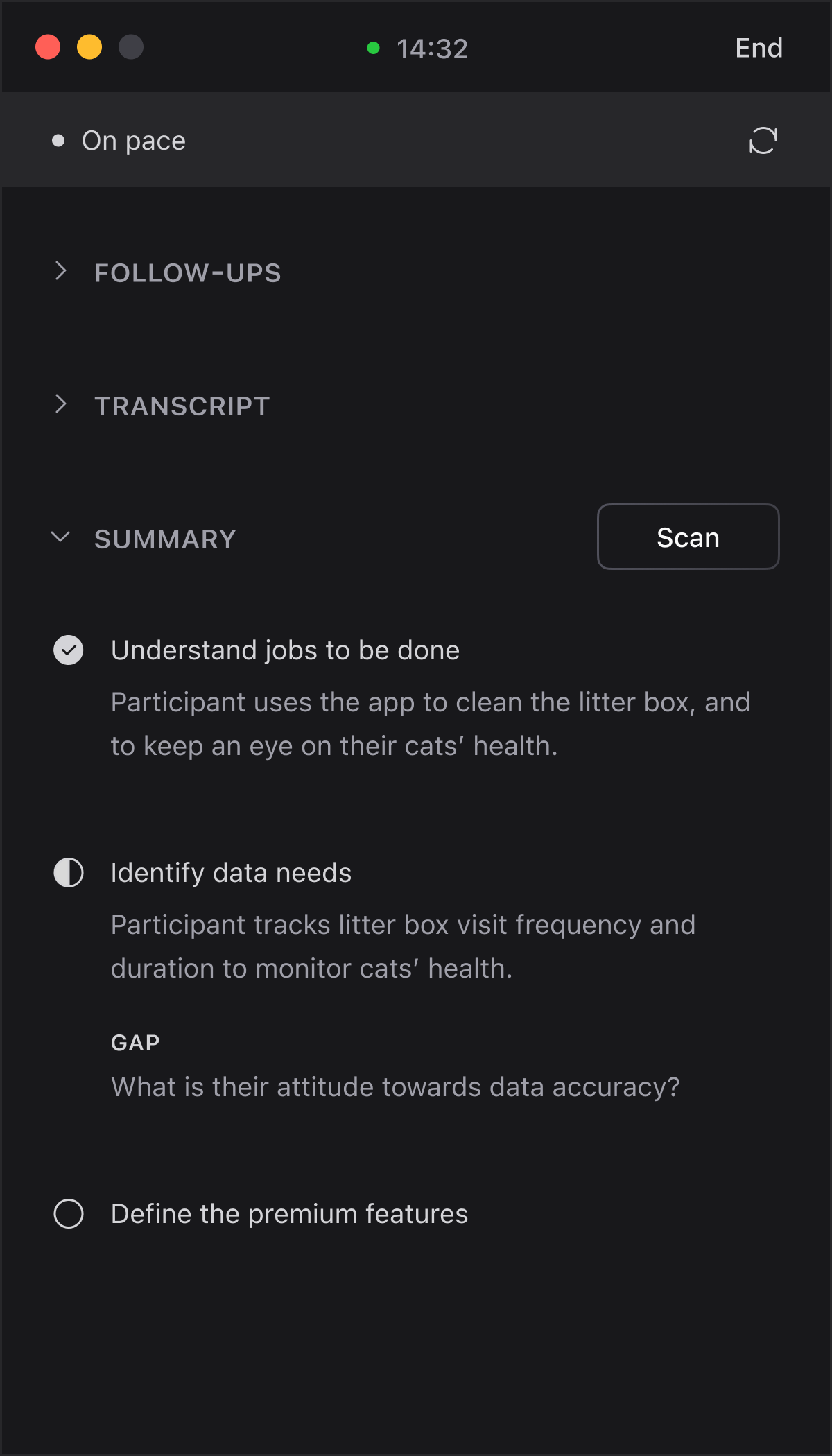
Live summary of what you’ve learnt, what’s still missing.
Questions to ask,
based on the live conversation.
A quiet nudge,
when you’re running behind.
Mark live transcript
for follow-ups and quotes.
Live summary of what you’ve learnt,
what’s still missing.
How it works
01
Upload your discussion guide, plus any domain or product context.
02
It listens to your Mac's audio to suggest what to ask, capture notes, track takeaways and pacing.
03
Live transcript, key takeaways and your notes — all in one document.
see it in action
use cases
Discovery research and concept testing — add domain context so Reslie stays grounded.
Usability testing. Reslie can't see your screen, but it helps you manage the session, so you can focus on the observations.
In-person research, surveys, diary studies, or unmoderated tests.
English sessions only, for now.
Privacy
Transcription happens entirely on your device. Only the text transcript goes to Google Gemini for live cues, under your own API key. Your notes and highlights stay on your Mac — they're never sent.
With billing enabled on your Google key, Google doesn't train on your data and only briefly retains it under its own privacy policy.
*Requires a billing-enabled Gemini key — about $0.30/hour, your only cost.
The only thing that persists is the document you export — handle it like any other research data.
pricing
Reslie doesn't charge you. Try for free on a free Gemini account. For real research sessions, we recommend paying Google for your Gemini usage, to keep research data out of AI training.
Free
Use your own Gemini account
 Download Reslie — free Trying it out — free Real sessions — about $0.30/hour, paid to Google
 *For AI usage, and based on a 60-minute session with around 30 research suggestions.
Before you start
macOS 26 (Tahoe) or later, with an M-series chip.
Free to set up, no credit card to start.
For transcription — no video or screen content captured.
Works alongside Zoom, Meet, or any online meeting app.
FAQ
No. It's an app on your Mac that listens to your computer's mic and audio. Your participants never see it, and there's nothing to add to the meeting invite.
Yes. Reslie listens to the session audio on your Mac and floats beside whatever call app you use — no plugin or integration needed.
Reslie needs macOS 26 (Tahoe) or later, on an M-series Mac — that's what the built-in speech recognition requires.
To check yours: Apple menu → About This Mac. If your Mac can't run macOS 26, or uses an Intel chip, Reslie won't run on it.
Your microphone, and macOS's Screen & System Audio Recording permission. The mic picks up your voice; the second is how macOS lets an app hear the other side of the call.
Reslie captures audio only — nothing on your screen is recorded, stored, or sent.
No. Reslie tracks takeaways, pacing, and suggests follow-ups, but you stay in control.
Yes, two ways. Tap a line in the live transcript to mark it — a follow-up you want to come back to, or a quote worth keeping. And jot anything else down in the notes panel as you go.
Both end up in the exported document: your marks stay highlighted in the transcript, and your notes come through as their own section. They're held for the session only — export before you finish, or they're gone.
Yes — Reslie transcribes your session live using your Mac's built-in speech recognition (Apple's SpeechAnalyzer, in macOS 26+), so the audio never leaves your device. In an independent benchmark it scored ~98% accuracy on read audio. Like any transcription, clean audio improves quality.
You're the data controller. Your session audio is transcribed on your own Mac and is never sent anywhere. The app itself collects nothing — no diagnostics, no usage tracking, no crash reports. Only the text transcript goes to Google Gemini, which generates the live cues under your own API key — so Reslie never holds your data or sits in the chain.
Google processes paid-API data under its Data Processing Addendum and, because billing is on, never uses it to train its models. Google's terms can change — check Google's Gemini API terms against your own compliance requirements.
The only thing that persists is the document you export — handle it like any other research data.
Yes — disclose it in your consent form. The audio is transcribed on your Mac and never leaves it; only the text transcript goes to Google under your own API key, so your consent form should name Google as a party that briefly handles it. We provide a ready-to-paste paragraph with the exact wording.
Yes. Reslie transcribes English sessions only, but your Mac's system language doesn't have to be English — if the English speech model isn't already on your Mac, Reslie downloads it during setup.


